CBSE 2026 Results: Easy Steps to Check Marksheets and Scores
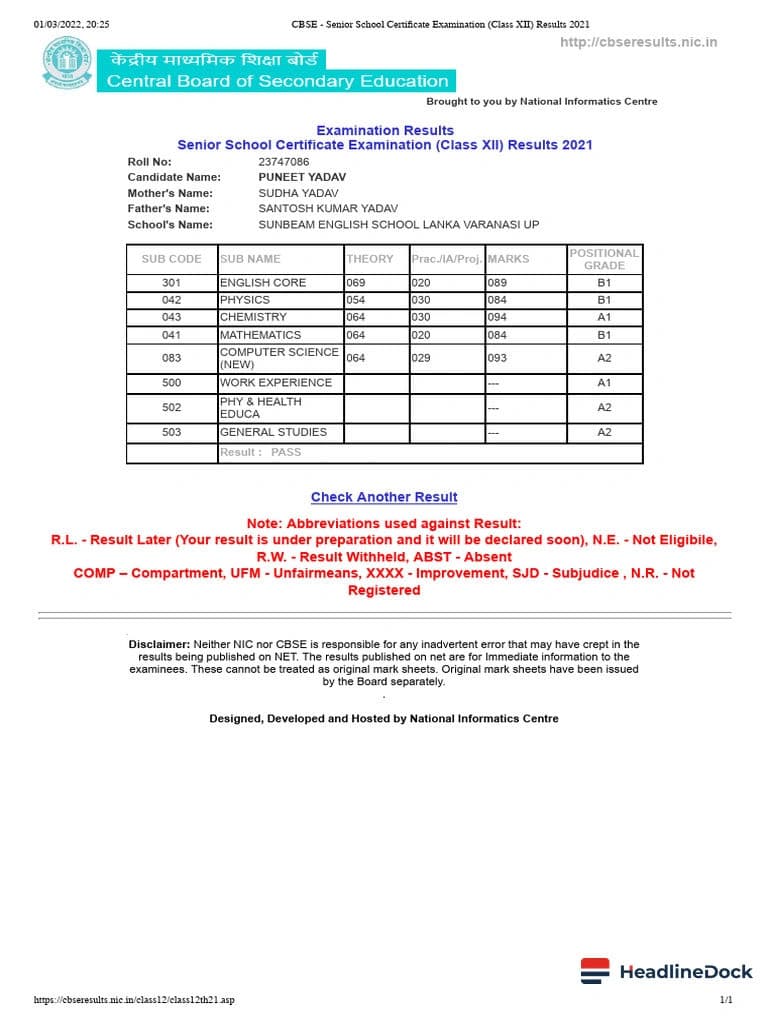
CBSE Class 10 results are expected to be released in the second week of May as per previous trends. Students can check their scores on cbse.gov.in by entering their roll number, school code and date of birth. An easy method to download a digital marksheet is also provided.
Highlights
- •Results for CBSE Class 10 will be announced in the second week of May based on previous trends.
- •Students should enter their roll number, school code and date of birth on cbse.gov.in to check their scores.
- •A digital marksheet can also be downloaded via the UMANG App and DigiLocker for future reference.
- •SMS users may use 'cbse10' or 'cbse12' followed by sending it to 7738299899 to receive their result immediately.
With the conclusion of the CBSE Class 10 board exams in March 2026, students are eagerly waiting for their results. Students can now check their scores on the official CBSE website, cbse.gov.in.
The results will be released towards the end of May, according to the trend from previous years. To access your results and download a digital marksheet, follow these easy steps:
- Step 1: Head over to the official CBSE website at cbse.gov.in.
- Step 2: Click on the 'CBSE Result' link located on the homepage.
- Step 3: Enter your Class 10 roll number, school code, and date of birth in the provided fields.
- Step 4: Your CBSE marksheet will be displayed online. You can then download it for future reference.
If you have difficulty accessing the official website or prefer to check your results via SMS, follow these steps:
- How to Check Results by SMS:
- *Step 1*: Open the messaging app available on your smartphone.
- *Step 2*: Type 'cbse10' or 'cbse12' (depending on which exam you took).
- *Step 3*: Send this message to the mobile number 7738299899.
- *Step 4*: You will receive your result via SMS.