CBSE Results 2026: Quick Guide to Check Scores Using DigiLocker and SMS
CBSE results for Class 10 and Class 12 are expected to be announced in May 2026, offering candidates a chance to check their scores using DigiLocker app or via SMS. Follow the steps carefully provided here to ensure you have access to your scorecard.
Highlights
- •CBSE results for Classes 10 and 12 are expected in May 2026
- •Check results through CBSE's official website or using DigiLocker app
- •Verify scores and save offline copies of the marksheet to use as reference
- •Use SMS method by typing details and sending them to a special number for fast result updates
The Central Board of Secondary Education (CBSE) is preparing to announce the CBSE results in May 2026. The eagerly anticipated outcomes for Class 10 and Class 12 students are close at hand, with candidates looking forward to their scores.
CBSE has announced that once the results are declared, a download link will be activated on their official website, cbse.gov.in. Both results can be accessed through this platform. Students can check their scores by providing key details such as Roll Number, School Number, Centre Number, and Admit Card ID.
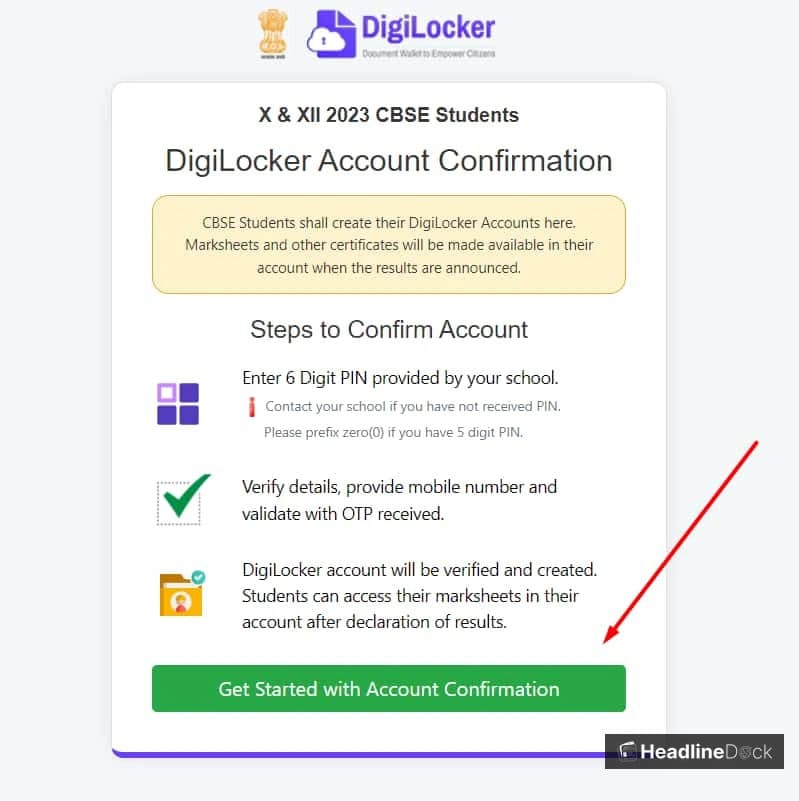
To access the results via DigiLocker app, students need to follow these steps:
- Step 1: Visit the DigiLocker website at digilocker.gov.in.
- Step 2: Log in using their credentials.
- Step 3: Click on the 'CBSE Result' tab for Class 10 and 12, followed by a specific result link. Then log in.
- Step 4: Download the CBSE marksheet for further use.
To check their results via SMS easily, candidates can type in their details like the Serial Number (Roll No.), School Number, and Centre Number. They should then send this information to the number 7738299899. The result will come shortly after they send the message.
To ensure a seamless process of checking your CBSE results in 2026, following these tips can help you download your scorecard:
- Visit the official site at cbse.gov.in or use a reliable shortcut like CBSE Results.
- Click on the 'CBSE Result' link from the homepage.
- Login to your account using your Roll Number, School Number, Centre Number, and Admit Card ID.
- The marksheet for the results will automatically appear on your screen. Verify and save it for future use.